Learn Node.js Through Building a Music API
SkillVeris Team
Content Team
Node.js brings JavaScript to the server and Express adds HTTP routing, so together they create REST APIs in minutes.
In this guide, you'll learn:
- A music playlist API teaches every REST verb: GET, POST, PUT, and DELETE.
- Route parameters like /tracks/:id capture values from the URL and always arrive as strings.
- Middleware functions run on every request and must call next() to continue to the route handler.
- Loading and saving a JSON file lets your playlist persist across server restarts.
1Why Node.js for Your First API?
If you already know JavaScript from the browser, Node.js lets you use the same language on the server. You don't need to learn a new language to build a backend — your knowledge of functions, arrays, objects, and async/await transfers directly.
Express, the most popular Node.js web framework, adds just enough structure to build real APIs without getting in your way.
A music playlist API is the ideal first project: the data model is simple (tracks with title, artist, genre, and duration), but the API covers every REST verb (GET, POST, PUT, DELETE) and the real patterns — route parameters, query filtering, and JSON request bodies — that you'll use in production.
2What We Are Building
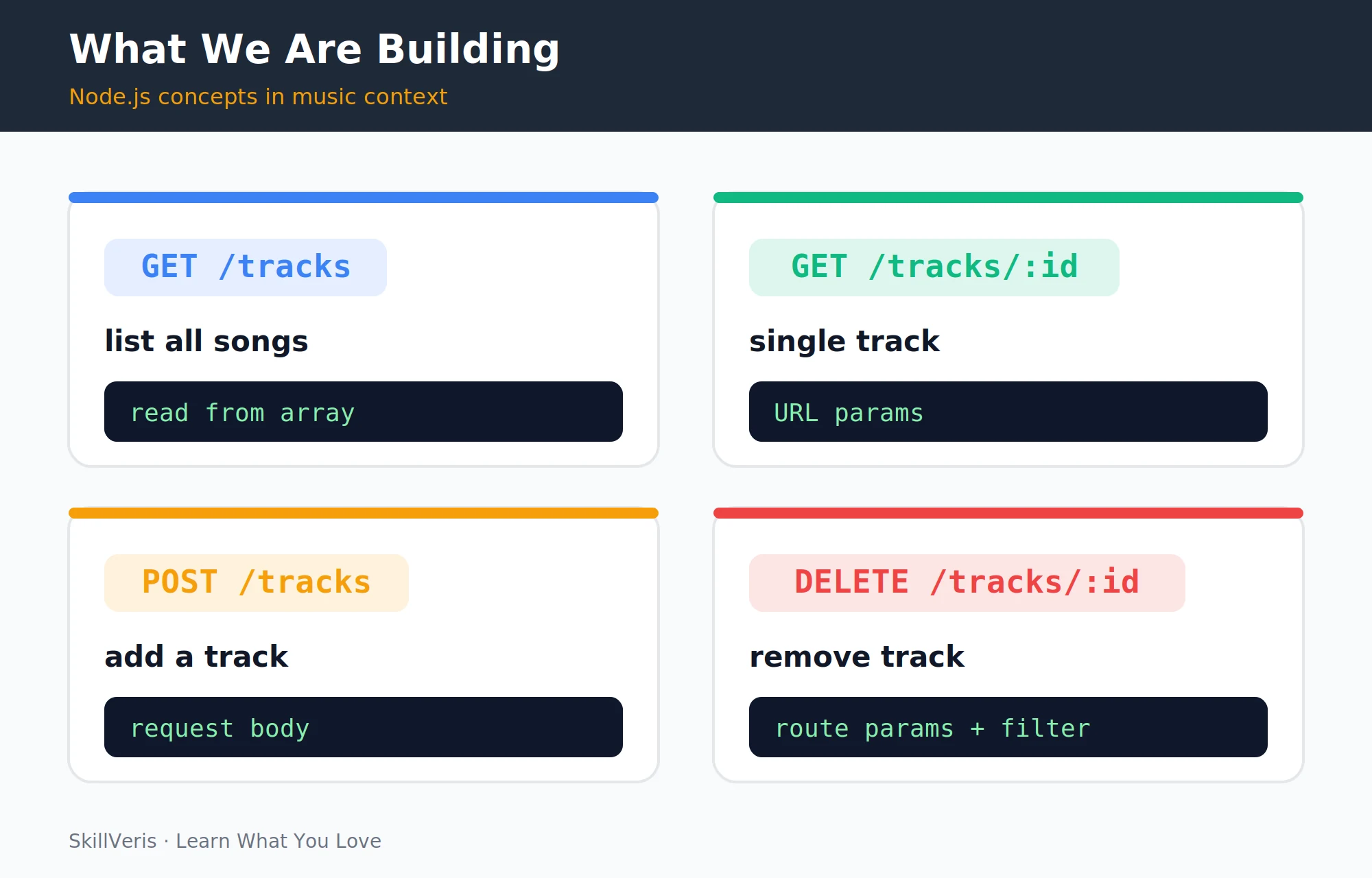
Our music API exposes five endpoints covering the full lifecycle of a track: listing, fetching a single record, creating, updating, and deleting.
These four endpoints map cleanly onto the standard REST verbs you'll reuse on almost every API you build.
- GET · /tracks · Return all tracks (with optional search)
- GET · /tracks/:id · Return one track by ID
- POST · /tracks · Add a new track
- PUT · /tracks/:id · Update a track
- DELETE · /tracks/:id · Delete a track
3Setup: Node.js and Express
Install the Node.js LTS release, scaffold a project folder, and add Express.
node --watch (Node 18+) restarts the server automatically on file changes — no need to install nodemon separately.
Create the project
Initialise the project and install Express.
# Install Node.js from nodejs.org (LTS version)
node --version # v22.x or later
# Create project
mkdir music-api && cd music-api
npm init -y
npm install express
# Create the entry file
touch index.js
package.json
Add "type": "module" to use ES module syntax (import/export), plus start and dev scripts.
{
  "type": "module",
  "scripts": {
    "start": "node index.js",
    "dev": "node --watch index.js"
  }
}4Your First Route: GET /tracks
Create index.js, set up an Express app, register the JSON body parser, and define an in-memory list of tracks.
The GET /tracks handler simply returns the whole array as JSON, and app.listen() starts the server on port 3000.
index.js
Define the data store and the route, then start the server.
// index.js
import express from 'express';
const app = express();
app.use(express.json()); // parse JSON request bodies
// In-memory data store (we'll move to a file in section 10)
let tracks = [
  { id: 1, title: 'Blinding Lights', artist: 'The Weeknd', genre: 'pop', duration: 200 },
  { id: 2, title: 'Levitating', artist: 'Dua Lipa', genre: 'pop', duration: 203 },
  { id: 3, title: 'Shape of You', artist: 'Ed Sheeran', genre: 'pop', duration: 234 },
  { id: 4, title: 'Believer', artist: 'Imagine Dragons', genre: 'rock', duration: 204 },
];
// GET all tracks
app.get('/tracks', (req, res) => {
  res.json(tracks);
});
app.listen(3000, () => console.log('Music API running on :3000'));
Test it
Run the dev server and request the endpoint.
# Test it
npm run dev
curl http://localhost:3000/tracks5Route Parameters: GET /tracks/:id
Add a handler that reads the :id segment from the URL and returns the matching track, or a 404 if none exists.
req.params.id contains the value from the URL. Route parameters are always strings, so parseInt() converts it to a number for comparison with the numeric IDs.
Single-track route
Parse the ID, find the track, and handle the not-found case.
// GET a single track by ID
app.get('/tracks/:id', (req, res) => {
  const id = parseInt(req.params.id); // :id is always a string
  const track = tracks.find(t => t.id === id);
  if (!track) {
    return res.status(404).json({ error: `Track ${id} not found` });
  }
  res.json(track);
});
Test it
Request an existing ID and a missing one.
# Test it
curl http://localhost:3000/tracks/1 # Returns Blinding Lights
curl http://localhost:3000/tracks/999 # Returns 4046POST /tracks: Adding a Song
The POST handler reads the new track from the JSON request body, validates the required fields, assigns the next ID, and appends it to the list.
On success it responds with status 201 Created and the newly created track.
Create-track route
Validate input, build the new track, and return it.
// POST a new track
app.post('/tracks', (req, res) => {
  const { title, artist, genre, duration } = req.body;
  // Basic validation
  if (!title || !artist) {
    return res.status(400).json({ error: 'title and artist are required' });
  }
  const newTrack = {
    id: Math.max(0, ...tracks.map(t => t.id)) + 1,
    title,
    artist,
    genre: genre || 'unknown',
    duration: duration || 0,
  };
  tracks.push(newTrack);
  res.status(201).json(newTrack);
});
Test it
Send a JSON body with curl.
# Test it
curl -X POST http://localhost:3000/tracks -H "Content-Type: application/json" -d '{"title":"Flowers","artist":"Miley Cyrus","genre":"pop","duration":200}'7PUT and DELETE Routes
PUT updates an existing track by merging the request body into the stored record while preserving its ID. DELETE removes a track by filtering it out of the array.
Both routes return 404 when the requested ID doesn't exist, and DELETE responds with 204 No Content on success.
Update and delete routes
Handle the PUT and DELETE verbs.
// PUT: update an existing track
app.put('/tracks/:id', (req, res) => {
  const idx = tracks.findIndex(t => t.id === parseInt(req.params.id));
  if (idx === -1) return res.status(404).json({ error: 'Not found' });
  tracks[idx] = { ...tracks[idx], ...req.body, id: tracks[idx].id };
  res.json(tracks[idx]);
});
// DELETE: remove a track
app.delete('/tracks/:id', (req, res) => {
  const id = parseInt(req.params.id);
  const len = tracks.length;
  tracks = tracks.filter(t => t.id !== id);
  if (tracks.length === len) {
    return res.status(404).json({ error: 'Not found' });
  }
  res.status(204).send(); // 204 No Content
});8Middleware
Middleware is a function that runs on every request before it reaches a route handler. Use it for logging, authentication, and request transformation.
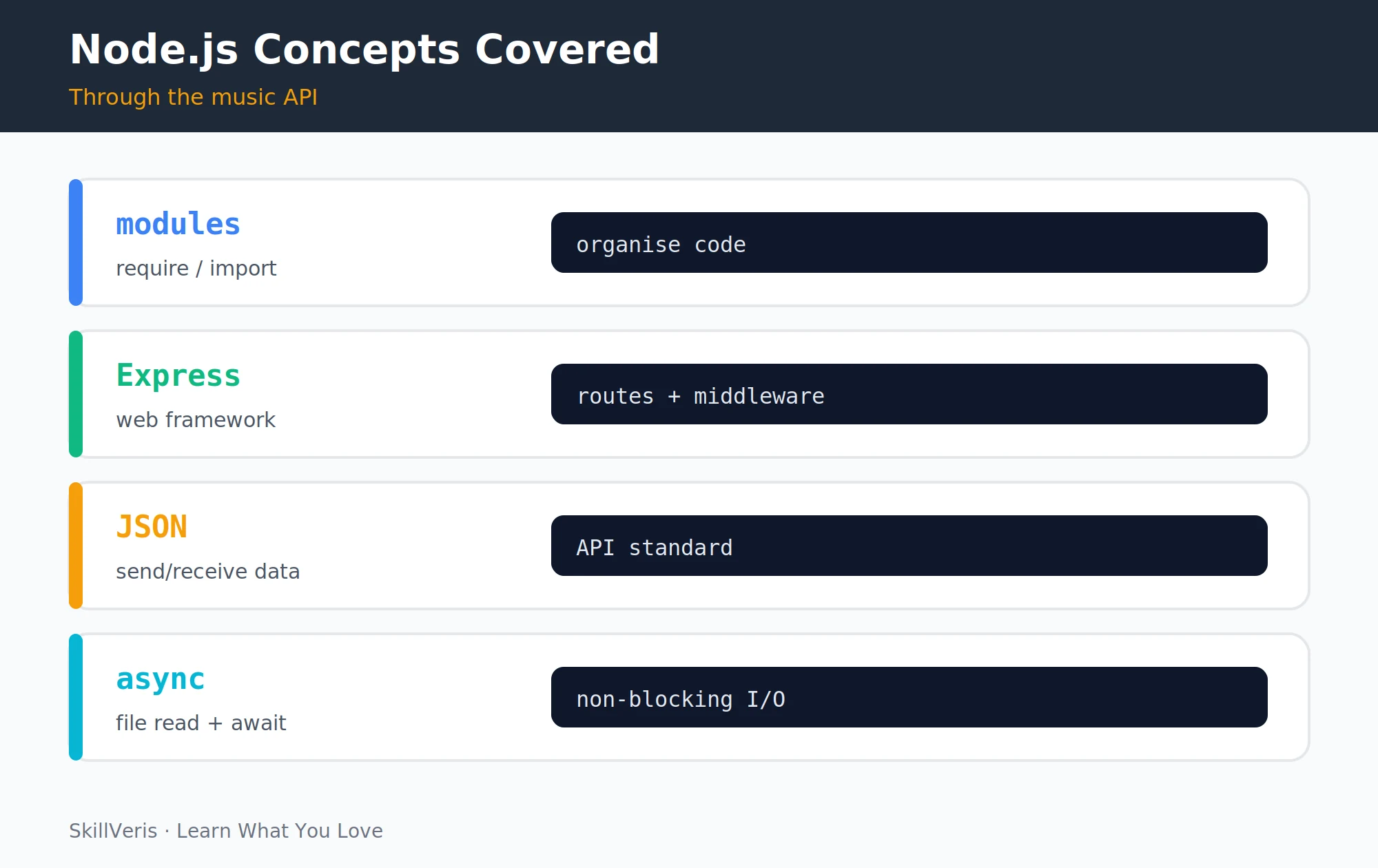
The music API teaches four Node.js concepts in context — modules, Express, JSON, and async — and middleware is where several of them come together.
Each middleware receives (req, res, next) and must call next() to pass control on. You can apply middleware globally with app.use() or attach it to specific routes.
Middleware functions
Define a request logger and an API-key check, then wire them up.
// Request logger middleware
const requestLogger = (req, res, next) => {
  const start = Date.now();
  res.on('finish', () => {
    console.log(`${req.method} ${req.url} ${res.statusCode} ${Date.now()-start}ms`);
  });
  next(); // MUST call next() to continue to the route handler
};
// Simple API key auth middleware
const requireApiKey = (req, res, next) => {
  if (req.headers['x-api-key'] !== process.env.API_KEY) {
    return res.status(401).json({ error: 'Invalid API key' });
  }
  next();
};
// Apply to all routes
app.use(requestLogger);
// Apply only to write operations
app.post('/tracks', requireApiKey, (req, res) => { ... });
app.put('/tracks/:id', requireApiKey, (req, res) => { ... });
app.delete('/tracks/:id', requireApiKey, (req, res) => { ... });9Query Parameters: Search and Filter
Query parameters let you add search and filtering to the existing GET /tracks route without creating new endpoints.
Here the handler reads req.query.genre and req.query.q to narrow the result set, then returns both a total count and the matching tracks.
Filtering route
Filter by genre and a free-text query.
// GET /tracks?genre=pop&q=light
app.get('/tracks', (req, res) => {
  let result = [...tracks];
  if (req.query.genre) {
    result = result.filter(t =>
      t.genre.toLowerCase() === req.query.genre.toLowerCase()
    );
  }
  if (req.query.q) {
    const q = req.query.q.toLowerCase();
    result = result.filter(t =>
      t.title.toLowerCase().includes(q) ||
      t.artist.toLowerCase().includes(q)
    );
  }
  res.json({ total: result.length, tracks: result });
});
Test filtering
Pass query parameters in the URL.
# Test filtering
curl "http://localhost:3000/tracks?genre=pop"
curl "http://localhost:3000/tracks?q=light"10Loading Data from a JSON File
Reading the tracks from a JSON file at startup and writing back after each change makes the playlist persist across server restarts.
For a production app, replace this with a real database (SQLite, PostgreSQL). The logic is identical; only the I/O layer changes.
File-backed storage
Load on startup and save after every write operation.
// Load tracks from tracks.json at startup
import { readFileSync, writeFileSync } from 'fs';
const DATA_FILE = './tracks.json';
let tracks = [];
try {
  tracks = JSON.parse(readFileSync(DATA_FILE, 'utf-8'));
} catch {
  tracks = []; // start empty if file doesn't exist
}
// Save after every write operation
function save() {
  writeFileSync(DATA_FILE, JSON.stringify(tracks, null, 2));
}
// Call save() in POST, PUT, DELETE handlers after modifying tracks11Deploying to Railway
Railway deploys a Node app directly from a GitHub repository and can auto-detect the start command from package.json.
- Push your project to a GitHub repository.
- Go to railway.app, create a new project, and connect your repo.
- Set the start command: node index.js (or let Railway auto-detect it from package.json).
- Set environment variables (e.g. API_KEY) in Railway's Variables tab.
- Deploy — Railway gives you a public URL like https://music-api.up.railway.app.
💡Pro Tip
Add a GET /health route that returns {"status": "ok"}. Railway (and most hosting platforms) use health-check endpoints to verify your server started correctly and is responding.
12Key Takeaways
Express gives you a small, consistent vocabulary for building REST APIs: routes, parameters, middleware, and status codes.
- Express routes follow app.METHOD('/path', handler); route parameters use :name syntax.
- Middleware functions receive (req, res, next) and must call next() to continue.
- Use express.json() middleware to parse JSON request bodies.
- HTTP status codes matter: 200 OK, 201 Created, 204 No Content, 400 Bad Request, 404 Not Found.
- Query parameters (req.query) enable filtering without new routes.
13What to Build Next
Extend the music API with real persistence and authentication, or build the frontend that consumes it.
- Add a PostgreSQL database using the pg package to persist tracks properly.
- Add user authentication with JWT (see our Full-Stack To-Do App guide for the pattern).
- Build the React frontend that consumes this API for a full-stack music player.
14Frequently Asked Questions
What is the difference between Node.js and Express? Node.js is the JavaScript runtime — it lets you run JavaScript outside a browser. Express is a minimal web framework that runs on Node.js. Node.js alone has an HTTP module for building servers; Express adds routing, middleware, and convenience methods that make building APIs much faster.
Should I use CommonJS (require) or ES Modules (import)? Use ES Modules (import/export) for new projects — they're the standard in modern JavaScript. Add "type": "module" to package.json. You'll see CommonJS (require()) in older tutorials and codebases; both work, but don't mix them in the same project.
Is Node.js good for production APIs? Yes. Node.js powers APIs at Netflix, LinkedIn, Uber, and many other high-scale companies. Its async, event-driven architecture handles many concurrent I/O-bound requests efficiently. For CPU-bound tasks (image processing, heavy computation), Python or Go may be more suitable.
How does this compare to a Python FastAPI approach? Both build REST APIs with similar patterns: route handlers, middleware, JSON bodies, and URL parameters. FastAPI has automatic API documentation and Pydantic validation out of the box. Express is more flexible but requires more manual setup for validation. Choose based on your language preference and existing stack.
Related Reading
Get The Print Version
Download a PDF of this article for offline reading.
About the Publisher
SkillVeris Team
Content Team
We believe the best way to learn tech is through what you already love — sports, music, photography, and more.
View all postsRelated Posts
Never miss an update
Get the latest tutorials and guides delivered to your inbox.
No spam. Unsubscribe anytime.