Learn React Through Building a Gaming Leaderboard
SkillVeris Team
Content Team
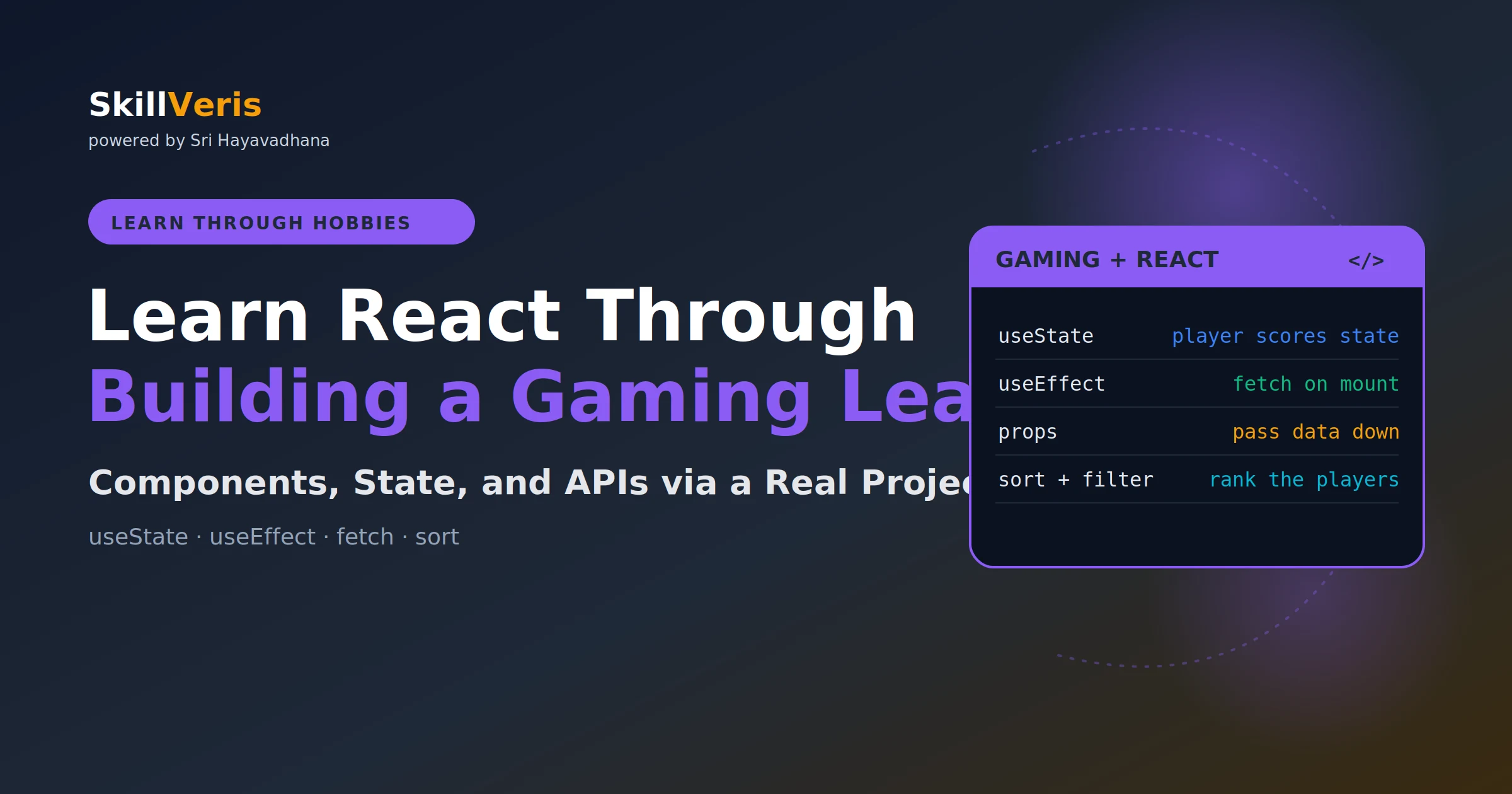
React's core mental model is UI = f(state): change the state and React re-renders the tree.
In this guide, you'll learn:
- A leaderboard naturally exercises useState, useEffect, props, and event handlers — the four pillars of React.
- Keep state high and push rendering low: PlayerCard is a pure leaf component that takes data and callbacks as props.
- Derived values like filtered-and-sorted players should be calculated during render, never stored in useState.
- Controlled inputs hold their value in state and update on every keystroke for full React control.
1Why a Leaderboard Teaches React
A gaming leaderboard has exactly the right complexity for learning React. It needs a list of players (array state), real-time score updates (state mutations), adding and removing players (form handling), ranking (derived state via sort), filtering by game (conditional rendering), and persistence (useEffect plus localStorage).
Every core React concept shows up naturally, motivated by the project's features rather than contrived examples. Pick your game — Valorant, Chess, IPL fantasy, FIFA, or anything else. The code is identical; the data is yours.
2Project Setup
Scaffold the app with Vite, which is faster than create-react-app, then install Tailwind for styling.
💡Note
Configure Tailwind by adding content: ["./index.html", "./src/**/*.{js,ts,jsx,tsx}"] to tailwind.config.js and the Tailwind directives to src/index.css.
Create and install
# Create project with Vite (faster than create-react-app)
npm create vite@latest gaming-leaderboard -- --template react
cd gaming-leaderboard
npm install
npm install -D tailwindcss postcss autoprefixer
npx tailwindcss init -p
npm run dev3Component Architecture
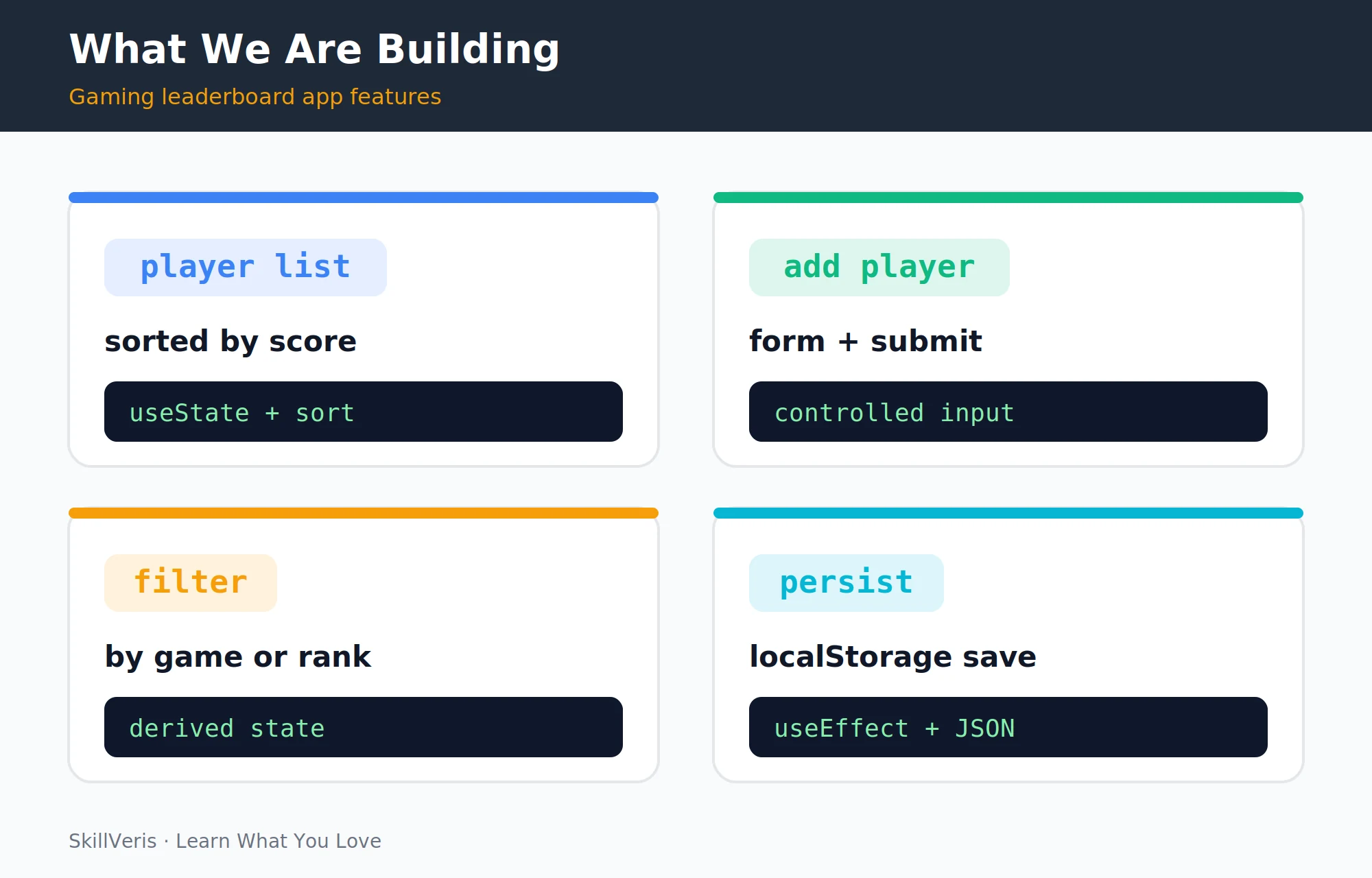
The four features our leaderboard builds each teach a React concept: a sorted player list, an add-player form, a filter by game, and localStorage persistence.
React apps are trees of components. The parent that owns state passes it down as props, and child components communicate back up via callback props (event handlers passed as props). This one-directional data flow is React's core architecture.
- App
- Leaderboard (holds all state)
- AddPlayerForm (controlled form)
- FilterBar (game + rank filters)
- PlayerList (maps players to cards)
- PlayerCard (single player display)
4The PlayerCard Component
PlayerCard is a pure component: it receives data and callbacks as props and renders UI. It has no state of its own. This is the correct pattern for leaf components — keep state high, push rendering low.
PlayerCard.jsx
// src/components/PlayerCard.jsx
export default function PlayerCard({ player, rank, onScoreChange, onRemove }) {
const rankColors = {
1: "bg-yellow-500",
2: "bg-gray-400",
3: "bg-amber-600"
};
return (
<div className="flex items-center justify-between p-4 bg-gray-800 rounded-xl mb-2">
<div className="flex items-center gap-4">
<span className={`w-8 h-8 rounded-full flex items-center justify-center font-bold
${rankColors[rank] || "bg-gray-600"}`}>
{rank}
</span>
<div>
<p className="font-semibold text-white">{player.name}</p>
<p className="text-sm text-gray-400">{player.game}</p>
</div>
</div>
<div className="flex items-center gap-3">
<span className="text-2xl font-bold text-purple-400">{player.score}</span>
<button onClick={() => onScoreChange(player.id, 10)}
className="px-2 py-1 bg-green-600 rounded text-sm">+10</button>
<button onClick={() => onRemove(player.id)}
className="px-2 py-1 bg-red-600 rounded text-sm">✕</button>
</div>
</div>
);
}5The Leaderboard Component with useState
The Leaderboard component owns the players array in state and derives a sorted view on every render. Score changes and removals are handled with immutable updates that return new arrays.
Each handler uses the functional form of setPlayers so updates always work from the latest state. The sorted players are mapped to PlayerCard children, with their state and callbacks passed down as props.
Leaderboard.jsx
// src/components/Leaderboard.jsx
import { useState } from "react";
import PlayerCard from "./PlayerCard";
const INITIAL_PLAYERS = [
{ id: 1, name: "Rohit", game: "Valorant", score: 2840 },
{ id: 2, name: "Priya", game: "Valorant", score: 2650 },
{ id: 3, name: "Arun", game: "Chess", score: 1820 },
];
export default function Leaderboard() {
const [players, setPlayers] = useState(INITIAL_PLAYERS);
const sortedPlayers = [...players].sort((a, b) => b.score - a.score);
const handleScoreChange = (id, delta) => {
setPlayers(prev => prev.map(p =>
p.id === id ? { ...p, score: p.score + delta } : p
));
};
const handleRemove = (id) => {
setPlayers(prev => prev.filter(p => p.id !== id));
};
return (
<div className="max-w-2xl mx-auto p-6">
<h1 className="text-3xl font-bold text-white mb-6">Leaderboard</h1>
{sortedPlayers.map((player, i) => (
<PlayerCard
key={player.id}
player={player}
rank={i + 1}
onScoreChange={handleScoreChange}
onRemove={handleRemove}
/>
))}
</div>
);
}6Adding Players: Controlled Forms
A controlled input stores its value in React state (via useState) and updates state on every keystroke (via onChange). The input's value is always the state value.
This gives React full control over the input — no DOM surprises. The form gathers a name, game, and score, validates the name, and calls the onAdd callback before resetting.
AddPlayerForm.jsx
// src/components/AddPlayerForm.jsx
import { useState } from "react";
export default function AddPlayerForm({ onAdd }) {
const [name, setName] = useState("");
const [game, setGame] = useState("Valorant");
const [score, setScore] = useState(1000);
const handleSubmit = (e) => {
e.preventDefault();
if (!name.trim()) return;
onAdd({ id: Date.now(), name: name.trim(), game, score: Number(score) });
setName(""); // reset form
};
return (
<form onSubmit={handleSubmit} className="flex gap-2 mb-6">
<input value={name} onChange={e => setName(e.target.value)}
placeholder="Player name"
className="flex-1 bg-gray-700 text-white rounded px-3 py-2" />
<select value={game} onChange={e => setGame(e.target.value)}
className="bg-gray-700 text-white rounded px-3 py-2">
<option>Valorant</option>
<option>Chess</option>
<option>FIFA</option>
</select>
<button type="submit"
className="bg-purple-600 text-white px-4 py-2 rounded">
Add
</button>
</form>
);
}7Sorting and Filtering
Notice that filteredAndSorted is not state — it's derived state, calculated from existing state on every render. Never put derived values in useState; calculate them during render instead.
The selectedGame piece of state drives a filter, while the unique set of games populates the dropdown options.
Add to Leaderboard.jsx
// Add to Leaderboard.jsx
const [selectedGame, setSelectedGame] = useState("All");
const games = ["All", ...new Set(players.map(p => p.game))];
const filteredAndSorted = [...players]
.filter(p => selectedGame === "All" || p.game === selectedGame)
.sort((a, b) => b.score - a.score);
// In the JSX
// <select value={selectedGame} onChange={e => setSelectedGame(e.target.value)}>
// {games.map(g => <option key={g}>{g}</option>)}
// </select>8useEffect: Persist to localStorage
useEffect runs after the component renders. The dependency array controls when it re-runs: [] runs once on mount, [players] runs whenever players changes, and no array runs after every render.
The localStorage sync is a side effect: it doesn't affect what renders, it just saves state externally. Lazy initialization of useState reads the saved value once on first render.
Persisting state
import { useState, useEffect } from "react";
// Load from localStorage on first render
const [players, setPlayers] = useState(() => {
const saved = localStorage.getItem("leaderboard");
return saved ? JSON.parse(saved) : INITIAL_PLAYERS;
});
// Save to localStorage whenever players changes
useEffect(() => {
localStorage.setItem("leaderboard", JSON.stringify(players));
}, [players]); // dependency array: runs when players changes9Fetching from an API
To pull players from a backend instead of a hardcoded array, track loading and error state alongside the data. An empty dependency array runs the fetch once on mount.
Render a loading indicator while the request is in flight and an error message if it fails, falling back to the player list on success.
Fetch on mount
// Replace INITIAL_PLAYERS with a fetch from your backend
const [players, setPlayers] = useState([]);
const [loading, setLoading] = useState(true);
const [error, setError] = useState(null);
useEffect(() => {
fetch("https://api.yourapp.com/leaderboard")
.then(r => { if (!r.ok) throw new Error("Failed to fetch"); return r.json(); })
.then(data => { setPlayers(data); setLoading(false); })
.catch(err => { setError(err.message); setLoading(false); });
}, []); // empty array = fetch once on mount
if (loading) return <div className="text-white">Loading...</div>;
if (error) return <div className="text-red-500">Error: {error}</div>;10Styling with Tailwind
Tailwind's utility-first approach keeps styles co-located with components — no separate CSS files to maintain. The class names are verbose but entirely predictable once you know the pattern.
- Dark background · bg-gray-900, bg-gray-800
- Purple accent · text-purple-400, bg-purple-600
- Gold medal rank · bg-yellow-500
- Responsive layout · max-w-2xl mx-auto p-6
- Flexbox layout · flex items-center justify-between gap-4
- Rounded cards · rounded-xl, rounded-full
11What You Built and Learned
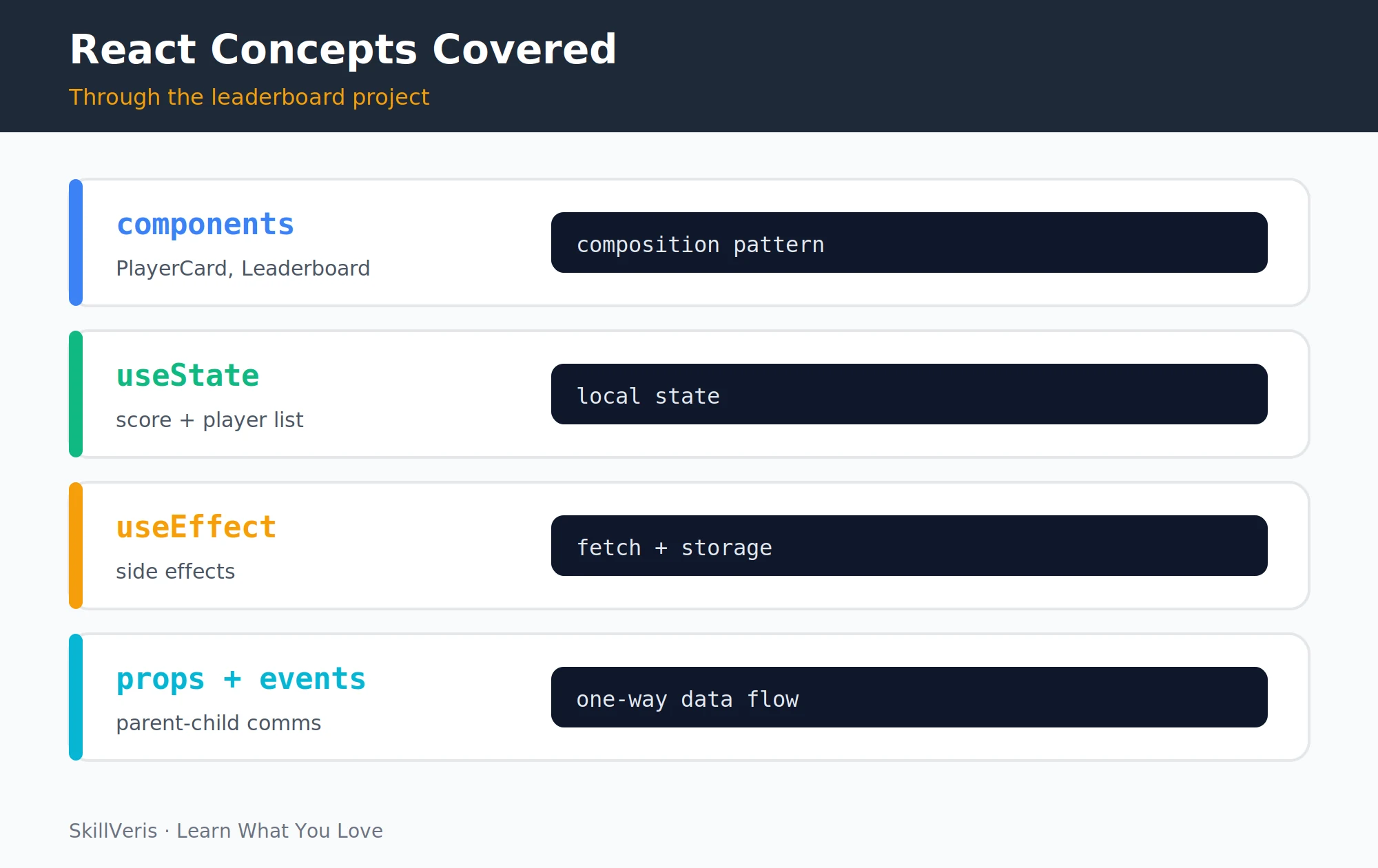
By completing this project you have practised useState for local component state, state updates that preserve immutability ([...prev], prev.map(), prev.filter()), controlled form inputs, derived state (filter and sort without extra useState), useEffect for localStorage persistence and API fetching, props for data flowing down, callback props for events flowing up, conditional rendering for loading and error states, and list rendering with key props.
These are the skills that make up 80% of real React application development.
12Key Takeaways
These principles carry over to nearly every React component you will build.
- React UI = f(state): when state changes, React re-renders the component tree.
- Keep state as high as it needs to be; calculate derived values during render, don't store them in state.
- Controlled inputs store form values in state; onChange updates state on every keystroke.
- useEffect for side effects: fetch, localStorage, subscriptions. The dependency array controls when it runs.
- Immutable state updates: always return a new array/object, never mutate state directly.
13What to Build Next
Extend this project or move on to deeper topics.
- Add authentication: let each player log in and only edit their own score.
- Connect to a real backend: replace localStorage with a Node.js API and PostgreSQL.
- React Hooks Explained — go deeper on useCallback, useMemo, and useContext.
14Frequently Asked Questions
Q: Why does React need a key prop on list items?
A: Keys help React identify which items have changed when re-rendering a list. Without keys, React re-renders all items on any change. With stable, unique keys (like IDs), React only re-renders the items that actually changed. Never use array index as key if the list order can change — use a stable unique identifier instead.
Q: What is the difference between props and state?
A: State is internal to a component and can be changed by that component (via setState/useState). Props are passed in from a parent and are read-only from the child's perspective. A component can pass its state as props to a child. When state changes, the component and all its children re-render. When props change (because the parent's state changed), the child also re-renders.
Q: When should I use Context instead of props?
A: When data needs to be accessible by many components at different nesting levels without passing it through every intermediate component ("prop drilling"). Typical candidates: current user, theme, locale, and authentication state. Don't overuse Context — prop drilling one or two levels is fine. Context adds complexity; use it when the alternative is threading the same prop through 4+ component levels.
Q: Should I use Vite or Create React App?
A: Vite (2024+) is now the standard recommendation. It starts in milliseconds, handles hot module replacement near-instantly, and produces smaller bundles. Create React App is officially unmaintained since 2023. Use Vite for all new React projects.
Related Reading
Get The Print Version
Download a PDF of this article for offline reading.
About the Publisher
SkillVeris Team
Content Team
We believe the best way to learn tech is through what you already love — sports, music, photography, and more.
View all postsRelated Posts
Never miss an update
Get the latest tutorials and guides delivered to your inbox.
No spam. Unsubscribe anytime.