AWS for Beginners: Cloud Computing Fundamentals
SkillVeris Team
Cloud & Security Team
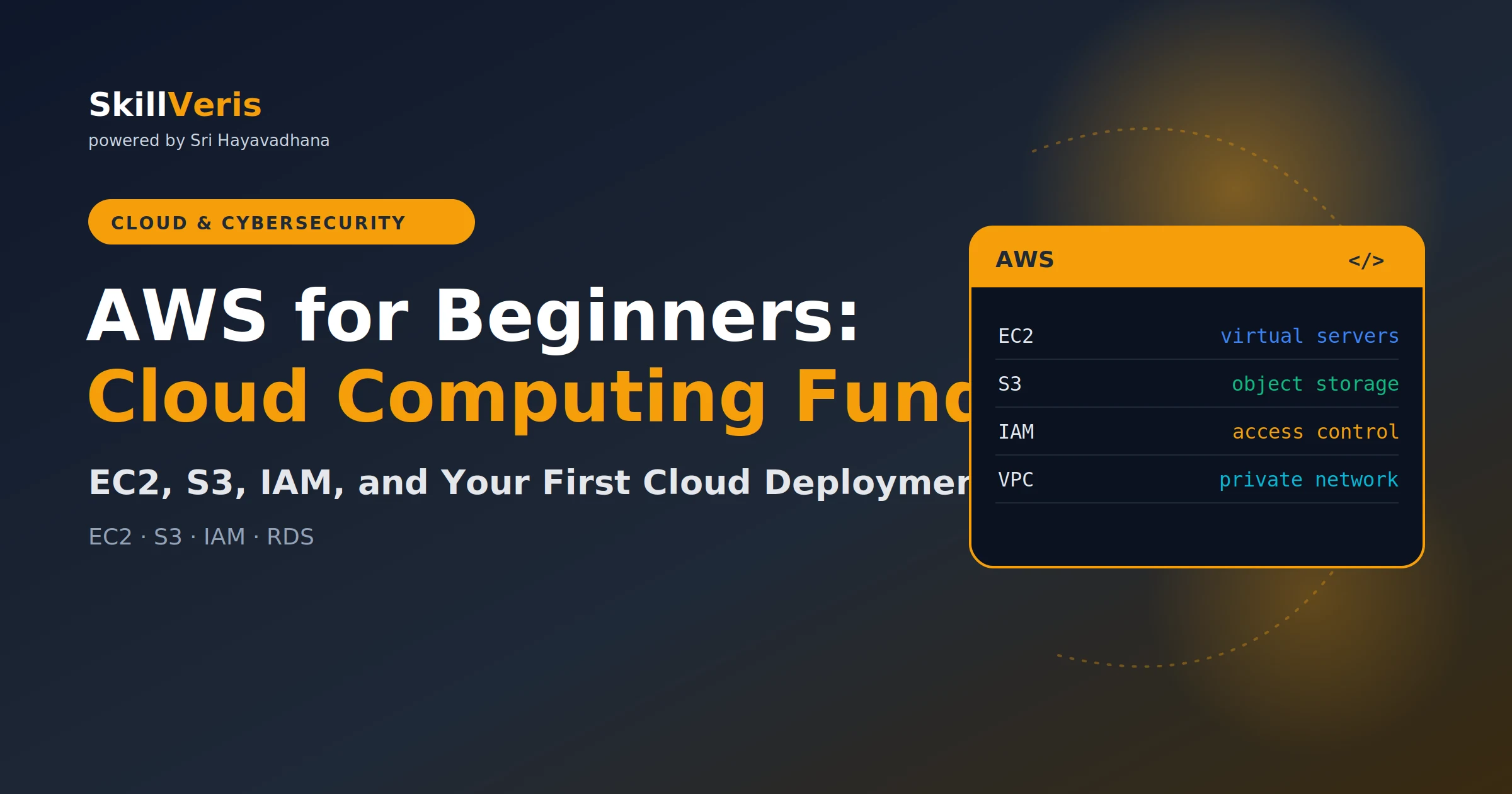
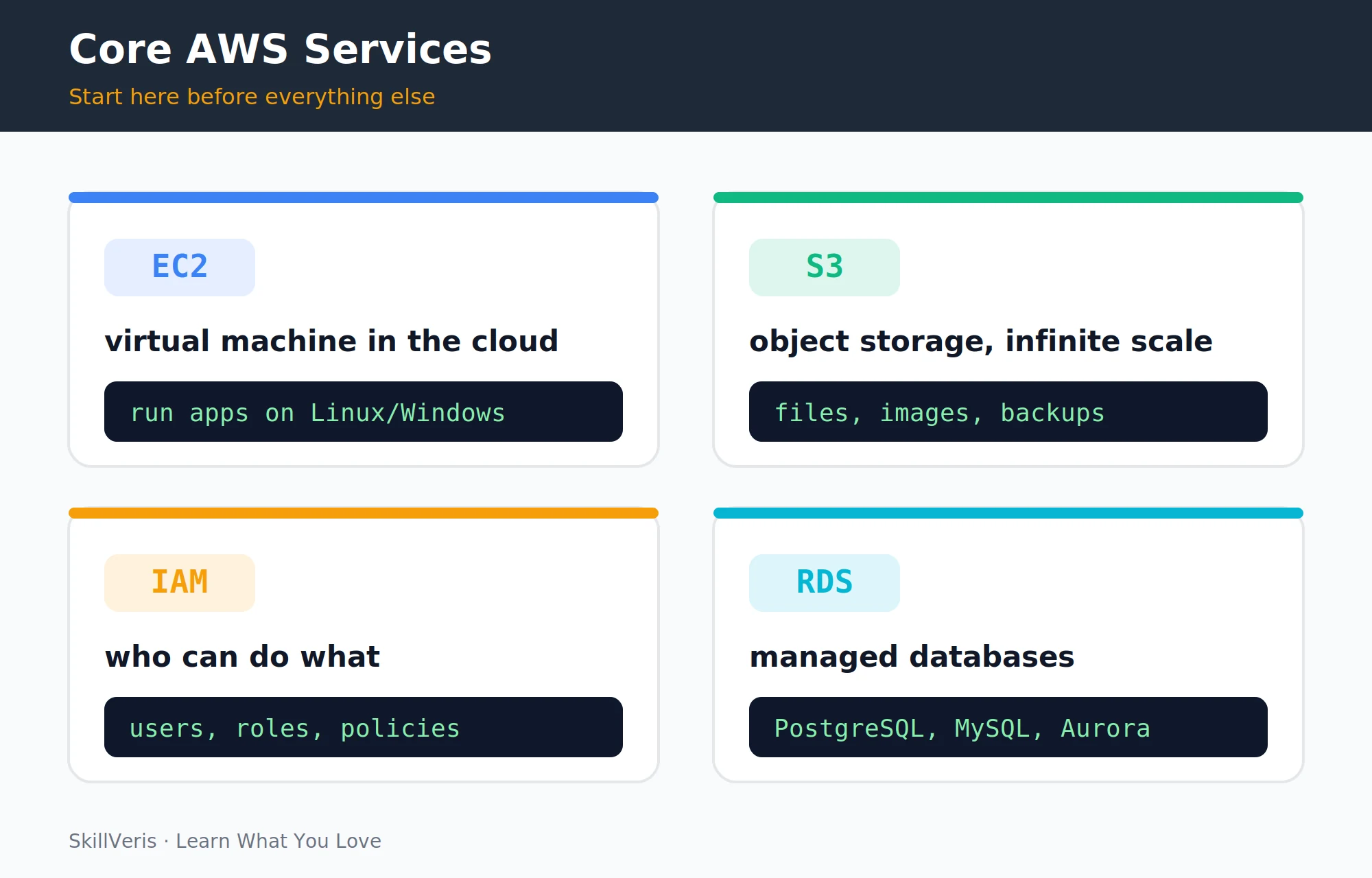
Start with four AWS services: S3 for storing files, EC2 for running servers, RDS for managed databases, and IAM for controlling access.
In this guide, you'll learn:
- Everything else in AWS builds on these four core services.
- Use the free tier for 12 months, but always set up billing alerts before you start experimenting.
- Apply the principle of least privilege in IAM, and use roles for services rather than hardcoding credentials.
- Place databases in private subnets and never expose ports like 5432 or 3306 to the internet.
1Why AWS?
Amazon Web Services has roughly 33% of the cloud infrastructure market — more than Azure and Google Cloud combined. AWS certifications are the most widely recognised in the industry, and the AWS CLI and SDKs are the reference implementation that most cloud tooling builds on.
Learning AWS first gives you transferable cloud fundamentals that apply to other providers, since all major clouds offer equivalent services under different names. The practical reason to start here: the free tier is generous, the documentation is excellent, and the console is a concrete way to learn what "the cloud" actually means.
2The AWS Free Tier and Billing Safety
The AWS free tier comes in two forms, and understanding the difference keeps your learning costs at zero.
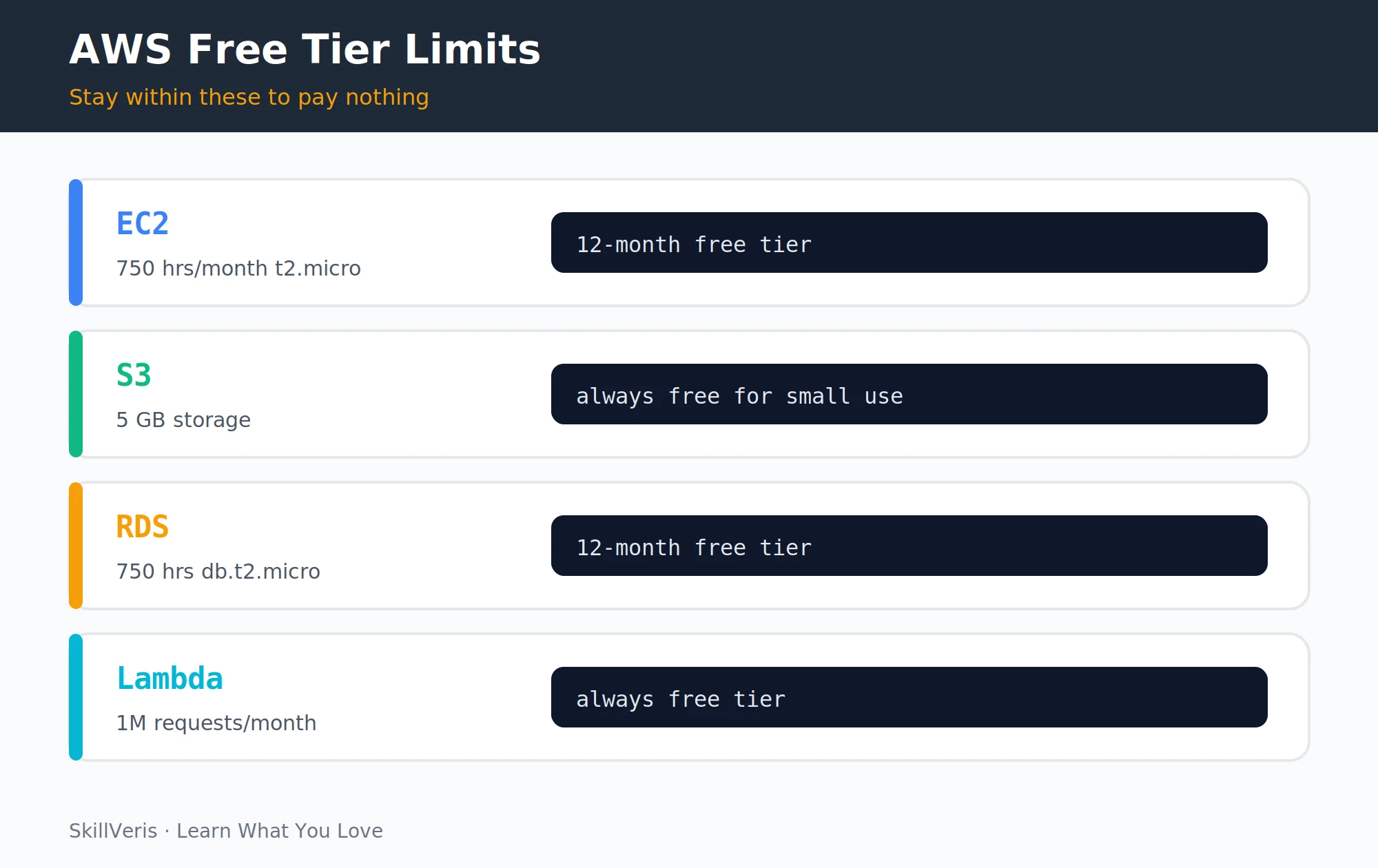
- 12-month free tier: services free for your first 12 months after account creation — includes 750 EC2 hours/month (t2.micro or t3.micro), 750 RDS hours/month (db.t2.micro), and 5 GB of S3 storage.
- Always free: services free regardless of account age — includes Lambda (1M requests/month), CloudWatch (10 metrics), and DynamoDB (25 GB).
⚠️Watch Out
Set up billing alerts on day one. Go to Billing → Budgets → Create Budget, set a budget of $5 with email alerts at 80% and 100%. AWS has sent unexpected bills to many learners who left EC2 instances or RDS databases running. Alerts plus stopping resources when not in use prevents this entirely.
Installing the AWS CLI
Install and configure the CLI, then verify access.
# Also install and configure the AWS CLI
pip install awscli
aws configure
# Enter: Access Key ID, Secret Access Key, region (e.g. ap-south-1 for India)
aws s3 ls # list your S3 buckets3IAM: Identity and Access Management
IAM controls who can do what in your AWS account, built on three core concepts.
IAM best practices: never use the root account for daily work — create an admin IAM user instead. Apply the principle of least privilege, granting only the permissions needed. Use roles for EC2 and Lambda to access other services, and never hardcode credentials.
- Users: individual identities (people or applications) with permanent credentials.
- Roles: temporary identities assumed by services or external users. An EC2 instance assumes a role to access S3 without embedding credentials in code.
- Policies: JSON documents defining what actions are allowed on which resources.
Example IAM Policy
A least-privilege policy allowing read-only access to one bucket.
# {
#   "Version": "2012-10-17",
#   "Statement": [{
#     "Effect": "Allow",
#     "Action": ["s3:GetObject", "s3:ListBucket"],
#     "Resource": ["arn:aws:s3:::my-bucket", "arn:aws:s3:::my-bucket/*"]
#   }]
# }4S3: Object Storage
S3 (Simple Storage Service) stores any file (object) in a bucket. Objects can range from 1 byte to 5 TB, and S3 is infinitely scalable, offers 11 nines of durability, and is integral to almost every AWS architecture.
S3 is used for static website hosting, storing user uploads in web apps, data lakes (raw data for analytics), application logs, and backups.
Working with S3 in boto3
Create a bucket, upload and download files, and list objects.
import boto3
s3 = boto3.client("s3")
# Create a bucket
s3.create_bucket(
    Bucket="my-skillveris-data",
    CreateBucketConfiguration={"LocationConstraint": "ap-south-1"}
)
# Upload a file
s3.upload_file("report.pdf", "my-skillveris-data", "reports/2026/report.pdf")
# Download a file
s3.download_file("my-skillveris-data", "reports/2026/report.pdf", "local_report.pdf")
# List objects
response = s3.list_objects_v2(Bucket="my-skillveris-data", Prefix="reports/")
for obj in response.get("Contents", []):
print(obj["Key"], obj["Size"])5EC2: Virtual Servers
EC2 (Elastic Compute Cloud) provides virtual machines (called instances) in the cloud. You choose the operating system, CPU, RAM, and storage, and pay per hour. Instance families are tuned for different workloads.
- t2.micro / t3.micro — Low-traffic web apps, learning — Free tier: yes (750 hrs/month)
- t3.medium — Medium web apps — Free tier: no
- c5 / c6 series — CPU-intensive compute — Free tier: no
- r5 / r6 series — Memory-intensive (databases) — Free tier: no
- g4 / p3 series — GPU (ML training) — Free tier: no
Launching and Connecting via CLI
Launch a t3.micro, SSH in, and stop it when done.
# AWS CLI: launch a t3.micro instance
aws ec2 run-instances --image-id ami-0f5ee92e2d63afc18 --instance-type t3.micro --key-name my-keypair --security-group-ids sg-xxxxxxxx --count 1
# Connect via SSH
ssh -i my-keypair.pem ubuntu@ec2-xx-xx-xx-xx.compute.amazonaws.com
# ALWAYS stop (not terminate) instances when not in use
aws ec2 stop-instances --instance-ids i-xxxxxxxxxxxxxxxxx6Security Groups: Your Firewall
Security Groups are stateful firewalls attached to EC2 instances. They control inbound and outbound traffic by port, protocol, and source.
- SSH access — TCP — Port 22 — Your IP only (not 0.0.0.0/0)
- HTTP web server — TCP — Port 80 — 0.0.0.0/0 (public)
- HTTPS web server — TCP — Port 443 — 0.0.0.0/0 (public)
- Node.js app — TCP — Port 3000 — Load balancer SG only
- PostgreSQL — TCP — Port 5432 — App server SG only
⚠️Watch Out
Never open SSH (port 22) to 0.0.0.0/0 (the whole internet) in production. Bots scan all AWS IP ranges continuously and will attempt brute-force SSH attacks within minutes. Restrict to your specific IP, use AWS Systems Manager Session Manager instead of SSH, or use a VPN/bastion host.
7VPC: Your Private Network
A Virtual Private Cloud (VPC) is your isolated network within AWS. By default, AWS creates a default VPC in each region; for production, create a custom VPC with public and private subnets and the right gateways.
The classic 3-tier architecture: internet → load balancer (public subnet) → EC2 app servers (private subnet) → RDS database (private subnet). The database is never directly exposed to the internet.
- Public subnets: resources that need internet access (load balancers, bastion hosts).
- Private subnets: resources that should NOT be internet-accessible (databases, app servers behind a load balancer).
- Internet Gateway: enables public subnets to reach the internet.
- NAT Gateway: lets private subnet resources initiate outbound internet connections (software updates) without being directly accessible.
8RDS: Managed Databases
RDS (Relational Database Service) provides managed PostgreSQL, MySQL, MariaDB, Oracle, and SQL Server databases. AWS handles backups, patching, failover, and scaling.
RDS best practices: place the database in a private subnet (never expose port 5432 to the internet), use AWS Secrets Manager for credentials, enable automated backups with 7–30 day retention, and use Multi-AZ for production databases.
Connecting from Python
Connect to an RDS PostgreSQL instance with psycopg2.
# Connect to RDS PostgreSQL from Python
import psycopg2
conn = psycopg2.connect(
    host="my-db.xxxxxxxxxxxx.ap-south-1.rds.amazonaws.com",
    port=5432,
    database="mydb",
    user="admin",
    password="from-secrets-manager"  # never hardcode; use AWS Secrets Manager
)9Lambda: Serverless Functions
Lambda runs code without managing servers. You upload a function, define what triggers it (an HTTP request, an S3 upload, a scheduled time), and AWS scales it automatically — from 0 to thousands of concurrent executions.
Lambda is ideal for API backends (API Gateway + Lambda), processing S3 uploads, scheduled tasks, and event-driven automation. The free tier provides 1 million requests/month and 400,000 GB-seconds of compute — more than enough for side projects.
A Lambda Handler
An HTTP-triggered function returning a JSON greeting.
# Lambda function: triggered by API Gateway HTTP request
import json
def lambda_handler(event, context):
    name = event.get("queryStringParameters", {}).get("name", "World")
    return {
        "statusCode": 200,
        "headers": {"Content-Type": "application/json"},
        "body": json.dumps({"message": f"Hello, {name}!"})
}10CloudWatch: Logs and Monitoring
CloudWatch provides centralized logs from all AWS services, metrics dashboards, alarms that trigger when metrics exceed thresholds (CPU > 80%, error rate > 1%), and automated actions in response to those alarms.
Reading Logs in Python
Fetch recent log events for a Lambda function.
# View EC2 or Lambda logs in Python
import boto3
logs = boto3.client("logs")
response = logs.get_log_events(
    logGroupName="/aws/lambda/my-function",
    logStreamName="2026/06/22/[$LATEST]abc123",
    limit=50
)
for event in response["events"]:
print(event["message"])11Deploying a Web App on EC2
Once you've SSH-ed into an EC2 instance, deploying a web app means installing dependencies, cloning your code, running it with a production server, and putting Nginx in front as a reverse proxy.
Deployment Steps on Ubuntu 22.04
Install, clone, run with gunicorn, and configure Nginx.
# After SSH-ing into your EC2 instance (Ubuntu 22.04)
# Install dependencies
sudo apt update && sudo apt install -y python3-pip nginx
# Clone your app
git clone https://github.com/yourname/your-app.git
cd your-app
pip3 install -r requirements.txt
# Run with gunicorn (production WSGI server)
pip3 install gunicorn
gunicorn -w 4 -b 127.0.0.1:8000 main:app &
# Configure Nginx as reverse proxy
# /etc/nginx/sites-available/your-app:
# server {
#   listen 80;
#   location / { proxy_pass http://127.0.0.1:8000; }
# }
sudo nginx -t && sudo systemctl restart nginx12Key Takeaways
These habits keep your AWS learning safe, secure, and cost-controlled.
- Set up billing alerts before anything else; the free tier is generous but easy to accidentally exceed.
- IAM: use the principle of least privilege; use roles for services, never hardcode credentials.
- S3 for files; EC2 for servers; RDS for databases; Lambda for serverless functions.
- Databases go in private subnets; never expose port 5432/3306 to the internet.
- Always stop (not terminate) EC2 instances and RDS databases when not in use.
13What to Learn Next
Continue your cloud journey beyond the core services.
- Docker for Beginners — containerise your apps before deploying to EC2 or ECS.
- Kubernetes Explained — orchestrate containers at scale with EKS.
- AWS Certification Guide — Cloud Practitioner then Solutions Architect Associate.
14Frequently Asked Questions
Is AWS the same as the cloud? No. "The cloud" refers to remotely hosted computing infrastructure. AWS is the largest cloud provider, but Azure (Microsoft), GCP (Google), and others also provide cloud infrastructure. The concepts (virtual machines, managed databases, object storage, serverless) are the same across providers; the service names differ.
What region should I use? For learners in India, ap-south-1 (Mumbai) gives the lowest latency. For production apps serving global users, consider multi-region. Not all services are available in all regions — check the AWS regional services list for anything specific.
Is EC2 or Lambda better for a web app? Lambda + API Gateway is simpler to deploy and scales to zero (no cost when idle), making it ideal for low-traffic or intermittent workloads. EC2 gives you full control and is more predictable for sustained traffic. For a new project, start with Lambda; migrate to EC2 or ECS if you hit Lambda limitations (15-minute timeout, cold starts, container size).
How do I avoid accidental AWS bills? Four habits: set billing alerts at $5 and $10 before you start; stop EC2 and RDS instances when not in use; delete resources you're not actively using; and review the billing dashboard weekly until you understand your usage pattern. Lambda, S3 (under 5GB), and DynamoDB (under 25GB) have genuinely free always-on tiers.
Related Reading
Get The Print Version
Download a PDF of this article for offline reading.
About the Publisher
SkillVeris Team
Cloud & Security Team
Our cloud and security experts break down complex infrastructure topics into practical, beginner-friendly guides.
View all postsRelated Posts
Never miss an update
Get the latest tutorials and guides delivered to your inbox.
No spam. Unsubscribe anytime.